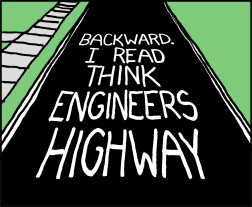
I just had to put these up. Source is from here to here.
Showing posts with label usability. Show all posts
Wednesday, March 2, 2011
Friday, November 5, 2010
Friday, October 29, 2010
Thursday, August 19, 2010
Friday, July 2, 2010
Friday, June 18, 2010
Thursday, May 27, 2010
Online user testing
From Mashable
startups like UserTesting.com aim to make it even simpler by maintaining a pool of participants who will offer their user experience within about an hour of a request.
Labels:
usability
Monday, April 5, 2010
Thursday, April 1, 2010
Wednesday, March 10, 2010
Hiding Password field values
I really get frustrated with passwords. Its bad enough that I have to have dozens of different ones - each with their own arcane rules (for instance exactly 6 digits, of which you must have 2 numbers and 1 capital letter) - but then I can't even see what I'm typing into the damn field.
Worst of all is Lotus-Bloody-Notes which "compounds the issue further by displaying multiple bullets for each keystroke, giving the impression that you have suffered contact bounce or accidentally pressed extra keys."
As much as it is a overused thing to say, I agree with Jakob Nielsen when he writes "It's time to show most passwords in clear text as users type them" see http://www.useit.com/alertbox/passwords.html.
Even better, use the suggestion of WebFertile (see http://www.webfertile.co.uk/web-design/web-design-resource.asp?postId=33):
Worst of all is Lotus-Bloody-Notes which "compounds the issue further by displaying multiple bullets for each keystroke, giving the impression that you have suffered contact bounce or accidentally pressed extra keys."
As much as it is a overused thing to say, I agree with Jakob Nielsen when he writes "It's time to show most passwords in clear text as users type them" see http://www.useit.com/alertbox/passwords.html.
Even better, use the suggestion of WebFertile (see http://www.webfertile.co.uk/web-design/web-design-resource.asp?postId=33):
Our new website designs will now mask the password field by default, but include a box that users can tick to show the letters typed in.For more on this topic - see Schneier on Security
Labels:
password field,
usability
Wednesday, January 13, 2010
Useful Links: HTML Mockups and Interaction Specifications
Useful links:
Make Your Mockup in Markup
At http://24ways.org/2009/make-your-mockup-in-markup
At http://www.uxmatters.com/mt/archives/2010/01/specifying-behavior-with-an-example-menu-behavior-specification.php
Make Your Mockup in Markup
At http://24ways.org/2009/make-your-mockup-in-markup
With the advent of CSS3, browsers are just as capable of giving us beautiful, detailed mockups as Photoshop, and in half the time.Specifying Behavior: With an Example Menu Behavior Specification
At http://www.uxmatters.com/mt/archives/2010/01/specifying-behavior-with-an-example-menu-behavior-specification.php
inadequate behavior specifications too often result from poor design documentation standards and practices or designers’ inability to clearly communicate behavior. Solving these problems is solely the responsibility of UX Design and is the focus of the remainder of this column.
Sunday, June 15, 2008
Minority report UI for surgeons
From issue 2660 of New Scientist magazine, 11 June 2008, page 23
In Steven Spielberg's movie Minority Report, the agents of a police state monitor people's lives to stop crimes before they are committed, using giant computer screens that they operate using mid-air hand gestures. But in the real world surgeons, not spies, may be the first to handle data in this way. It appears to be a great way to avoid hospital-acquired infections like MRSA, which can easily be spread via a keyboard or mouse.
Writing in the Journal of the American Medical Informatics Association (vol 15, p 321), engineer Juan Wachs and colleagues at Ben Gurion University of the Negev, in Israel, describe a screen and gesture-recognition system that allows surgeons to flip back and forth through radiology images, such as MRI and CT scans, by simply groping in mid-air. Their system, called Gestix, comprises a colour video camera above a flat, widescreen monitor placed next to the operating table. The video signal from the camera is fed to a PC, where software trained to detect the colour of the surgeon's gloves tracks the movements of their hand.
Unlike the EyeToy and Wii gaming systems, which require the user to hit target areas on a screen or hold a controller, Gestix simply requires the surgeon to learn eight gestures. These include swishing the hand right or left to go back or forth through a preloaded image sequence, or clockwise and counterclockwise to zoom in and out.
In tests of the sterile browsing system during brain surgery, the researchers say the system did what it was asked to do 96 per cent of the time.
Labels:
design,
interface,
technology,
usability
PNG transparency
Check out this article which talks about how you can use 8bit PNGs to get good alpha transparency in IE7 and also have 1 bit transparency in IE 6.
Labels:
html,
png,
usability,
web development
Subscribe to:
Posts (Atom)